
 Chrome Proxy Extension
 Firefox Proxy Extension


Language / SDK
WeProxy proxy setup for Python
The common way to use a proxy in Python is the requests library. Keep credentials out of source code and load them from environment variables. HTTP tunnel and SOCKS5 examples are below.
One of the most common ways to use a proxy in Python projects is the requests library. You can apply a proxy to a single request, a session, or all compatible requests through environment variables. This guide shows HTTP and SOCKS5 examples for a WeProxy connection.
Requirements
Install Python 3 and the Requests library:
python -m pip install requests
If you will use SOCKS5, install the extra dependencies:
python -m pip install "requests[socks]"
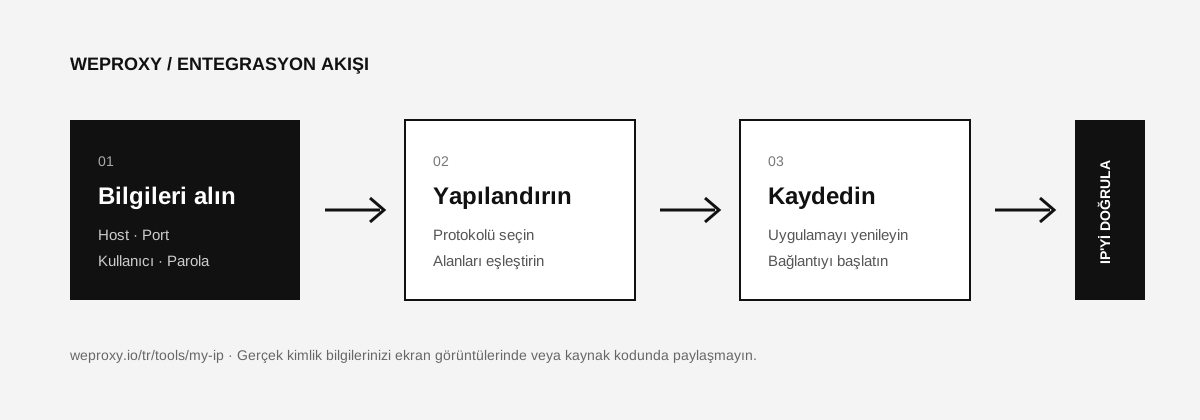
From the WeProxy panel, get the host, port, username, password, and the protocol your product supports.
Preparing Environment Variables
Keep credentials in the operating system’s environment variables instead of writing them into source code.
macOS/Linux:
export WEPROXY_HOST="PROXY_HOST"
export WEPROXY_PORT="PROXY_PORT"
export WEPROXY_USERNAME="PROXY_USERNAME"
export WEPROXY_PASSWORD="PROXY_PASSWORD"
PowerShell:
$env:WEPROXY_HOST="PROXY_HOST"
$env:WEPROXY_PORT="PROXY_PORT"
$env:WEPROXY_USERNAME="PROXY_USERNAME"
$env:WEPROXY_PASSWORD="PROXY_PASSWORD"
These variables are examples only. In production, use a secret manager and do not commit .env files to Git.
Using an HTTP Proxy with Requests
import os
from urllib.parse import quote

import requests

host = os.environ["WEPROXY_HOST"]
port = os.environ["WEPROXY_PORT"]
username = quote(os.environ["WEPROXY_USERNAME"], safe="")
password = quote(os.environ["WEPROXY_PASSWORD"], safe="")

proxy_url = f"http://{username}:{password}@{host}:{port}"
proxies = {
    "http": proxy_url,
    "https": proxy_url,
}

response = requests.get(
    "https://api.ipify.org?format=json",
    proxies=proxies,
    timeout=30,
)
response.raise_for_status()
print(response.json())
A proxy URL that starts with http:// does not mean you cannot reach HTTPS destinations. Requests can tunnel HTTPS targets through an HTTP proxy. If your panel specifies a different scheme, follow the product details.
Using a Proxy with a Requests Session
To reuse the same setting across multiple requests, you can create a Session:
with requests.Session() as session:
    session.proxies.update(proxies)
    response = session.get("https://api.ipify.org?format=json", timeout=30)
    response.raise_for_status()
    print(response.json())
According to the Requests docs, proxy values in the system environment can override session.proxies. When you need a definite proxy choice, passing proxies=proxies directly on each request is more predictable.
Using a SOCKS5 Proxy
proxy_url = f"socks5h://{username}:{password}@{host}:{port}"
proxies = {
    "http": proxy_url,
    "https": proxy_url,
}

response = requests.get(
    "https://api.ipify.org?format=json",
    proxies=proxies,
    timeout=30,
)
print(response.json())
With socks5h://, domain name resolution happens on the proxy side. With socks5://, DNS resolution happens on the client side.
Python Proxy Errors
407 Proxy Authentication Required
The username or password is wrong. Check that special characters were URL-encoded and that the product supports username/password authentication.
ProxyError or connection timeout
Verify the host, port, protocol, and package status. If the destination does not support IPv6, a connection with an IPv6 proxy may fail.
The real IP is visible
Confirm that the proxies dictionary was passed to the request. A NO_PROXY environment variable may be excluding the destination domain.
Source
Other integrations
Looking at another tool?

Get started
Connect with WeProxy now
Create an account, use 100 MB of free residential traffic right away, and follow the steps above in your own setup.