
 Chrome Proxy Extension
 Firefox Proxy Extension


Operating system
WeProxy proxy setup for macOS
macOS provides HTTP, HTTPS, and SOCKS proxy settings per network service. Settings apply separately to Wi-Fi or Ethernet. Safari and apps that honor system proxy can use the line.
macOS provides HTTP, HTTPS, and SOCKS proxy settings for each network service. The setting is applied separately to Wi-Fi or Ethernet. When you add WeProxy details to your active network connection, Safari and other apps that follow the system proxy can use that connection.
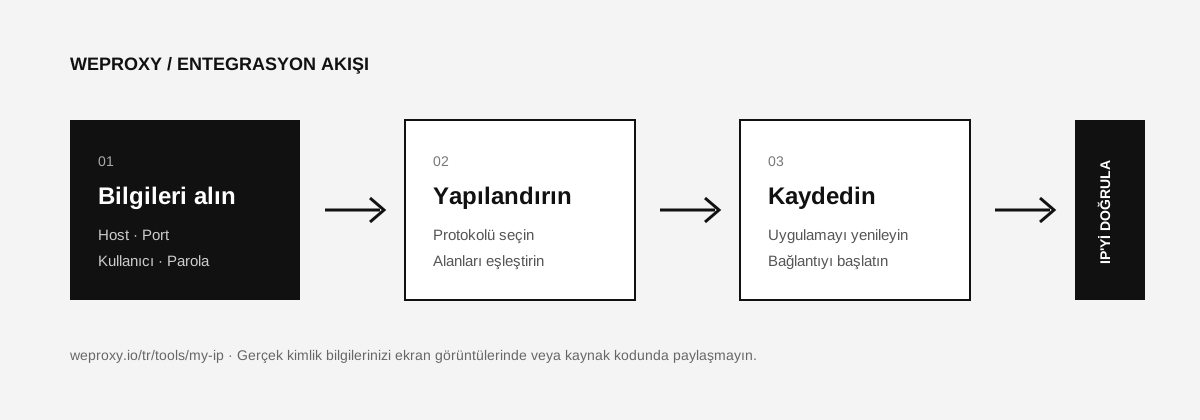
Required Details
| macOS field | WeProxy value |
|---|---|
| Proxy type | HTTP, HTTPS, or SOCKS5 |
| Proxy server | Host |
| Port | Port |
| Username | Proxy username |
| Password | Proxy password |
Confirm the protocol your WeProxy product supports from the connection details in the customer panel.
Setting Up WeProxy on macOS
- From the Apple menu, open System Settings.
- In the left menu, go to Network.
- Select the Wi-Fi or Ethernet connection you use.
- Click Details.
- From the left list, open Proxies.
- Based on your product, enable one of the following:
- Web Proxy (HTTP)
- Secure Web Proxy (HTTPS)
- SOCKS Proxy
- Enter the proxy host and port number.
- If authentication is required, turn on Proxy server requires password.
- Enter the WeProxy username and password.
- Click OK, then Apply.
If HTTP and HTTPS traffic must go through the same proxy, you may need to configure both options separately.
Addresses That Should Bypass the Proxy
If local development or intranet addresses should not go through the proxy, use the Bypass proxy settings for these hosts and domains field. Example:
localhost, 127.0.0.1, *.local
Adding an exception means the listed addresses open over your real connection.
Verifying the Connection
In Safari or another browser that uses the system setting, open the WeProxy IP check tool. If the IP and location show the expected values, the setup is complete.
macOS Proxy Issues
The setting only works on Wi-Fi
Proxy settings are specific to the network service. When you switch to Ethernet or a different Wi-Fi service, you need to configure that connection separately.
The password prompt keeps appearing
Confirm that the username and password in the panel are current. If Keychain has an old proxy credential, update the entry.
Some apps use the real IP
Not every app follows the macOS system proxy setting. You may need to use the app’s own proxy configuration.
Turning Off the Proxy on macOS
Open System Settings > Network > Active connection > Details > Proxies. Uncheck the proxy types you enabled and apply the changes.
Source
Other integrations
Looking at another tool?

Get started
Connect with WeProxy now
Create an account, use 100 MB of free residential traffic right away, and follow the steps above in your own setup.