
 Chrome Proxy Extension
 Firefox Proxy Extension


Anti-Detect Browser
Dolphin Anty
Anti-Detect Browser
Leading antidetect browser built for secure, scalable account management and efficient online operations.
When you need to manage multiple accounts, a regular browser may not be enough. If you use it to access different profiles, the target platform can see the same digital fingerprint and link the accounts together. At the same time, having multiple accounts is not necessarily a violation of platform rules. SMM specialists, for example, often manage several projects on the same platform, while traffic managers work with multiple advertising accounts to test different campaign setups and approaches.
Problems arise when security systems cannot distinguish legitimate multiaccount use from a network of accounts created to bypass platform restrictions. As a result, legitimate users can sometimes face limitations even when they have not violated the platform's rules.
One way to keep multiple accounts separate is to use an antidetect browser. It allows you to create a separate browser profile for each account with its own digital fingerprint and settings.
In this review we'll look at how Dolphin Anty can be used for multiaccount management, why proxies are an important part of the setup and which features help you manage multiple profiles.
Why Is Multiaccounting Possible?
A regular browser uses the same set of technical parameters for all accounts accessed through it. With an antidetect browser, each profile has its own digital fingerprint. To keep profiles separate, Dolphin Anty can spoof a range of fingerprint parameters, including:
- Operating system;
- User-Agent;
- Canvas;
- WebGL;
- Client Hints;
- Fonts;
- WebRTC;
- HTTP headers, including X-Browser-Validation;
- Screen resolution and device parameters.
You can even change the device name. This can be useful when working with platforms that have more advanced antifraud systems.
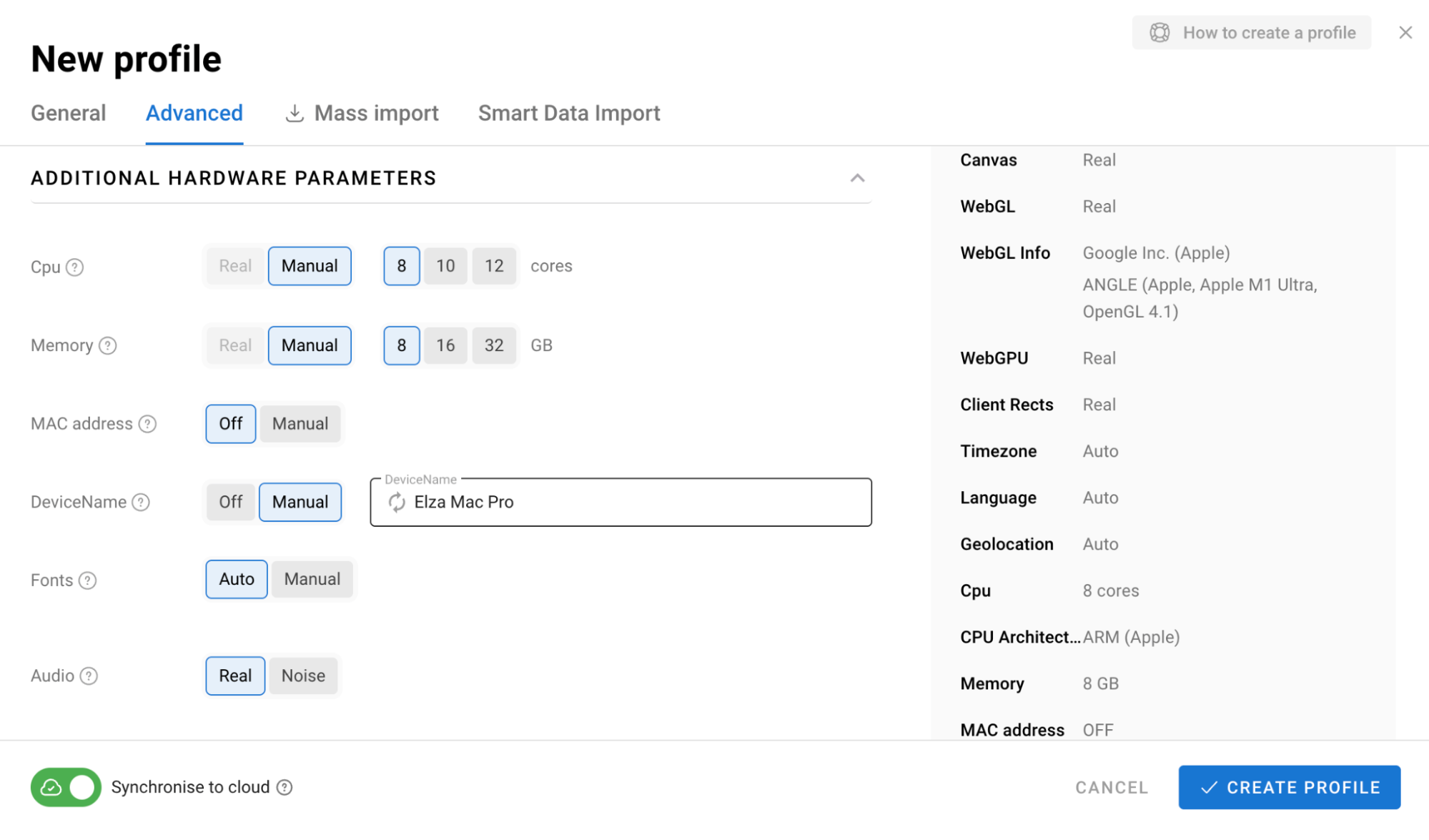
However, being able to change individual parameters is only part of the process. They also need to be consistent with one another. Dolphin Anty creates coordinated configurations for each profile rather than simply changing individual values independently. This is what makes multiaccounting possible: each account gets its own independent browser environment with a separate set of technical characteristics.
What Else Do You Need for Full Fingerprint Spoofing?
A digital fingerprint is only one part of the data that platforms use to identify and link users. IP address, geolocation and connection details also matter.
If different profiles use different browser fingerprints but all connect through the same IP address, the separation between accounts becomes less effective. This is why multiaccount setups typically use a separate proxy for each profile. Proxies allow profiles to connect through different IP addresses and use different locations. Dolphin Anty supports several ways to add proxies, while Weproxy offers mobile, residential and datacenter proxies with different pricing options to fit different use cases.
How to Add a Proxy in Dolphin Anty
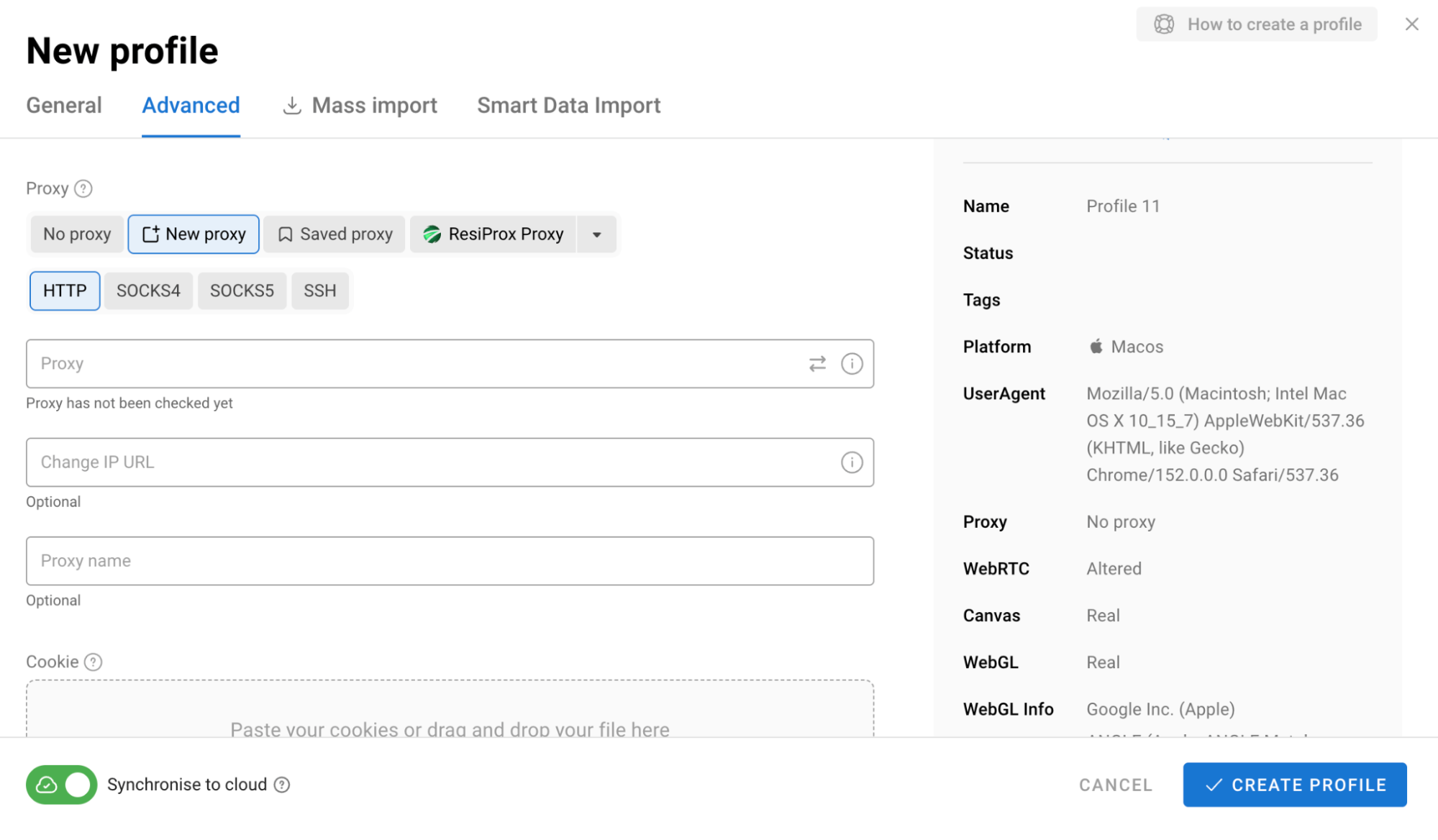
The simplest option is to add a proxy while creating a profile. Enter the connection details in the relevant section and the proxy will be assigned to that profile.
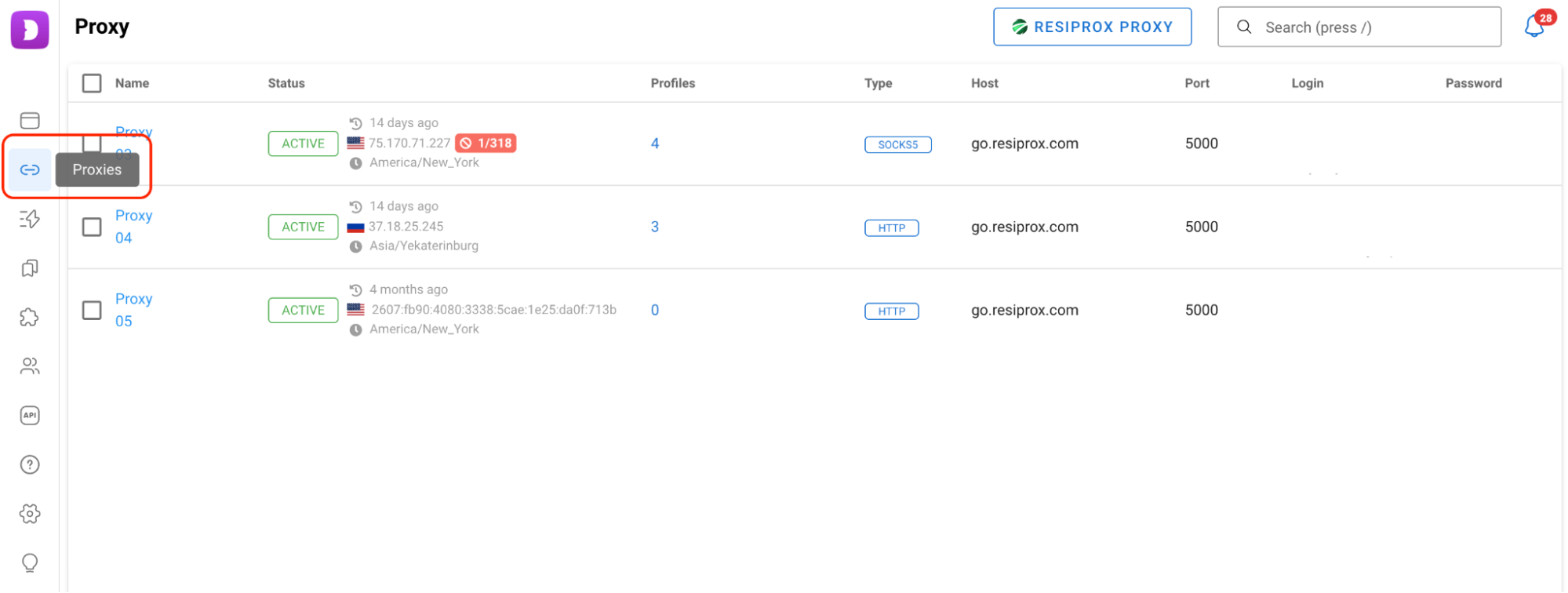
If you do not want to assign a proxy immediately, you can add your proxies to the dedicated proxy section first and connect them to profiles later.
Dolphin Anty also supports quick proxy input. Paste the connection details in the format provided by your proxy provider and the browser will automatically split the host, username, password and port into the appropriate fields.
For larger proxy lists there is also a bulk import option. Instead of adding each proxy manually, you can upload the entire list and assign the connections to profiles afterward.
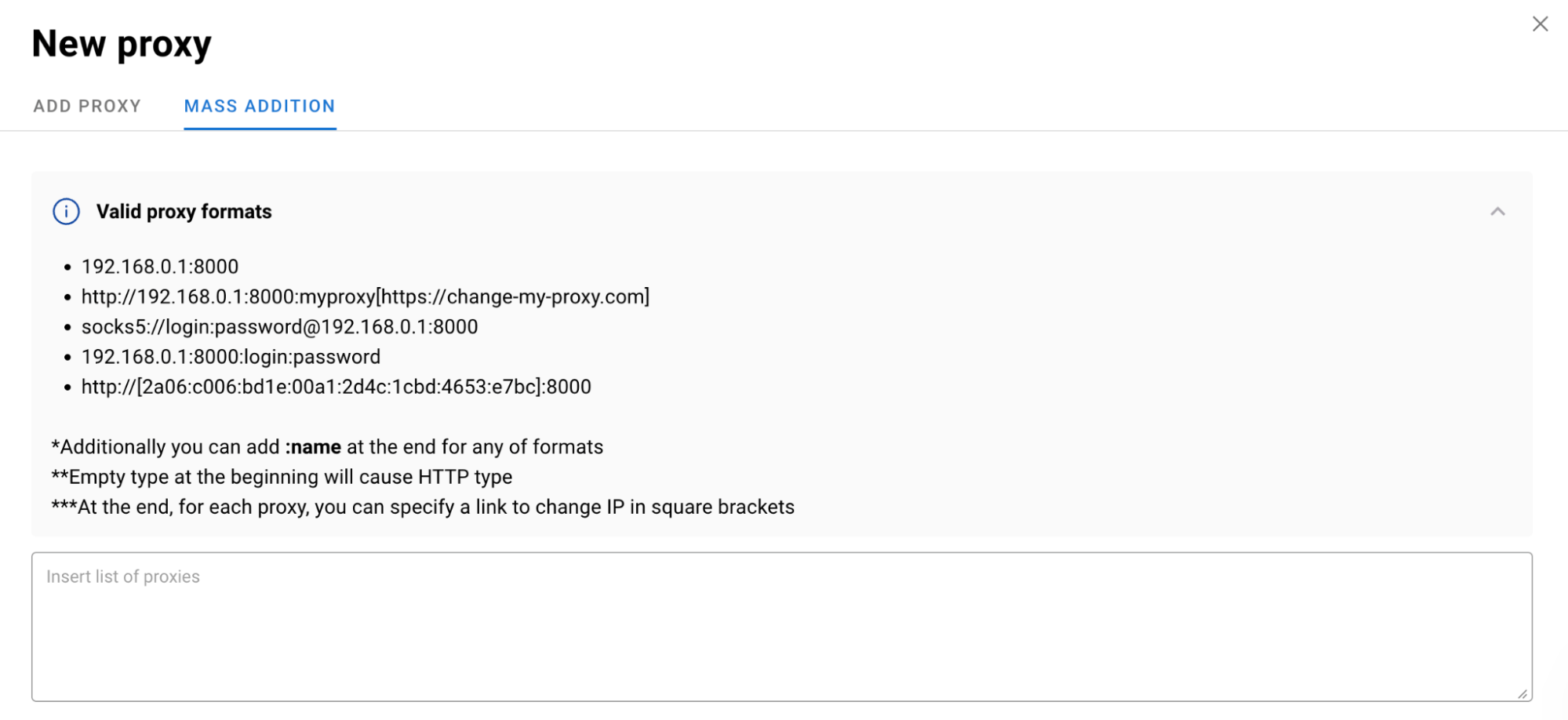
Before using a proxy, you can check whether the connection works and whether the IP address and location are detected correctly. Dolphin Anty can also automatically match the profile's timezone, language and geolocation to the selected proxy.
Can You Quickly Assign Proxies to Multiple Profiles?
Proxies can be assigned to profiles through the bulk actions panel. Select the profiles you need, click Change Proxy and choose how the proxies should be assigned. Dolphin Anty supports several options, including assigning proxies sequentially or according to a specified pattern.
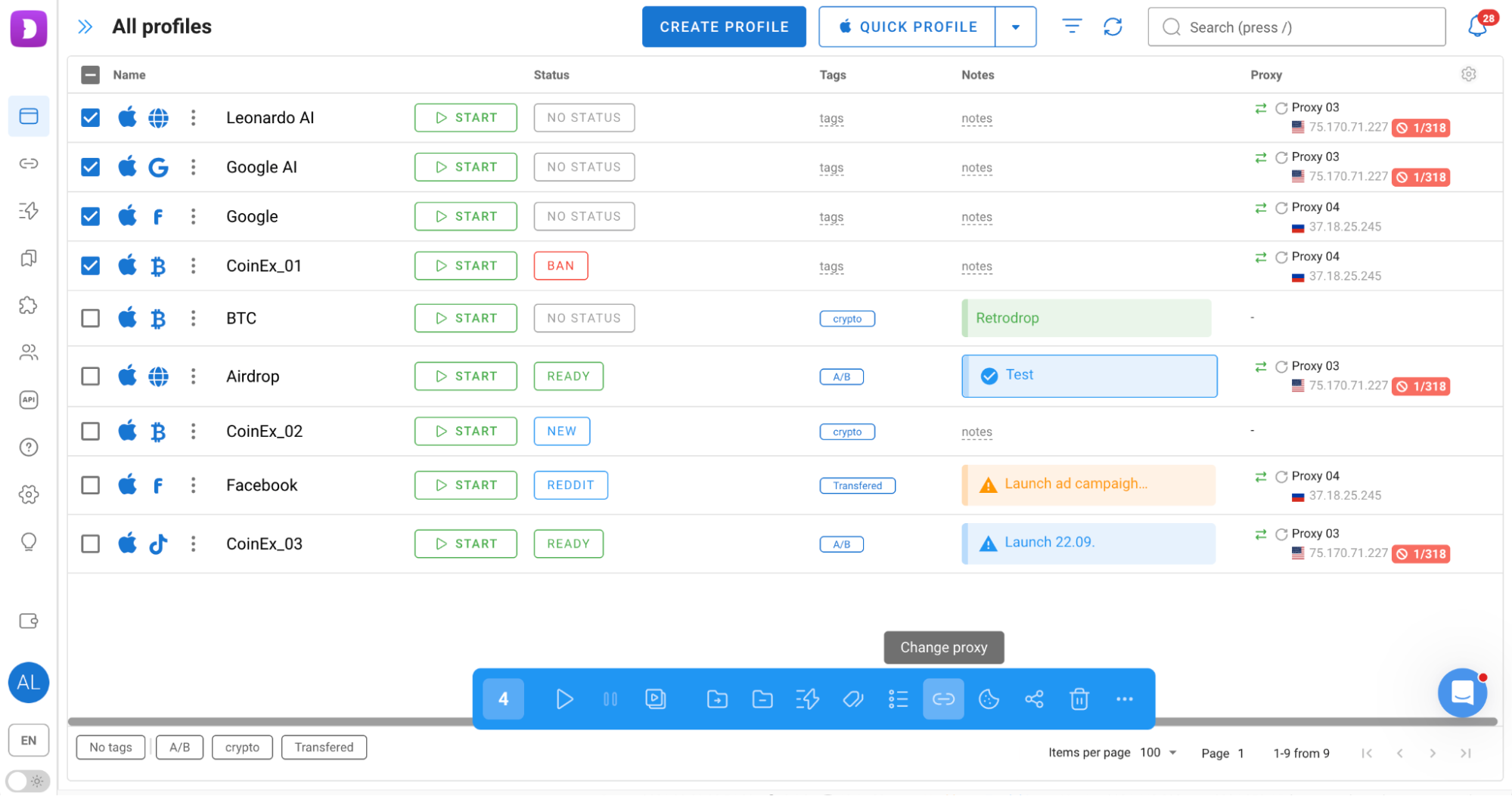
This is particularly useful when working with dozens or hundreds of profiles, as you do not have to open each profile individually and assign a proxy manually.
Is Convenient Multiaccount Management Possible?
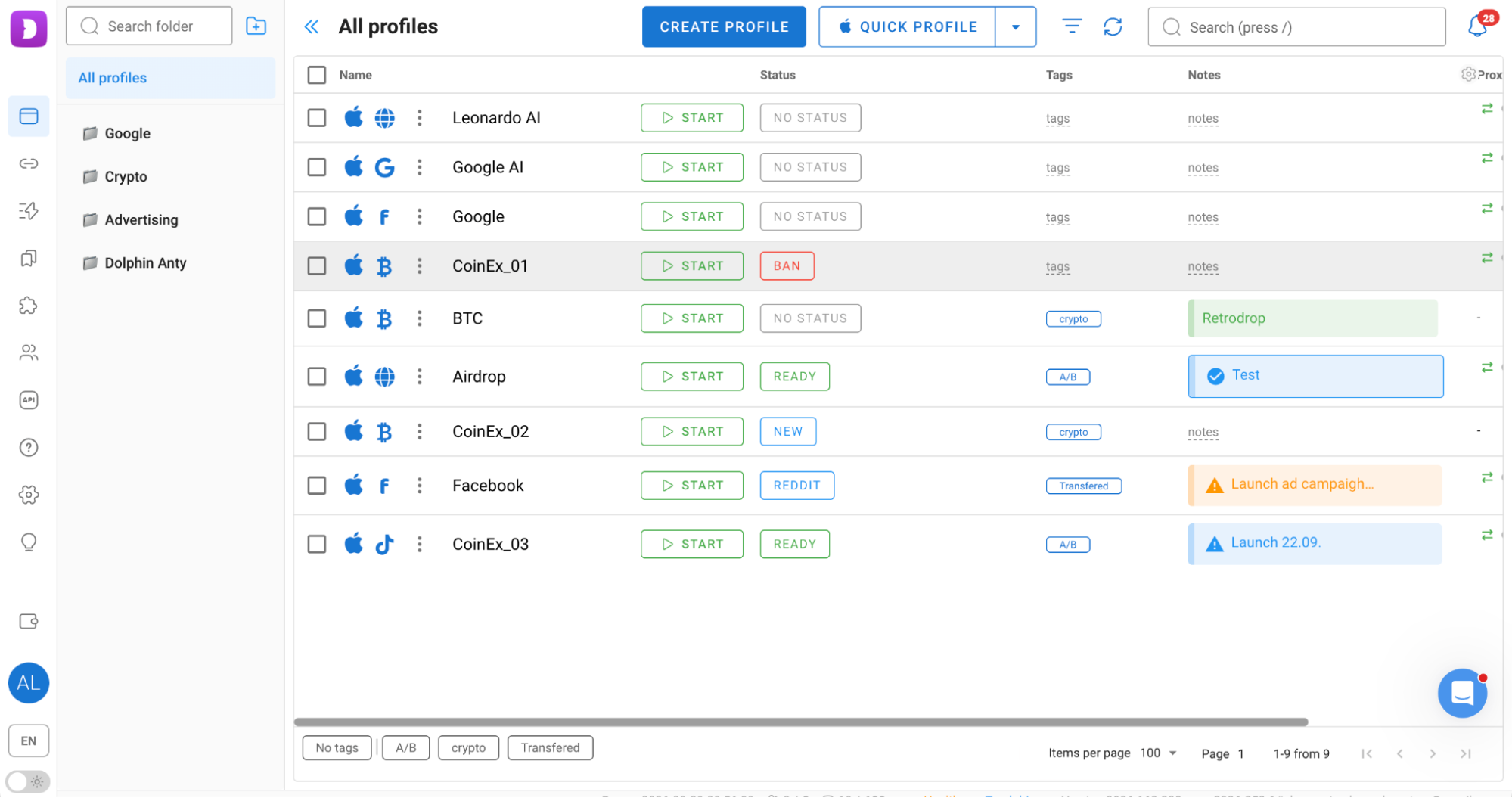
As the number of profiles grows, finding and managing them becomes a separate challenge. You need to know which project a profile belongs to, which profiles are currently in use and where to find a specific account.
Dolphin Anty includes several tools for organizing profiles:
- Folders;
- Tags;
- Statuses;
- Notes;
- Filters;
- Pinned profiles;
- Customizable columns.
For example, you can group profiles by project using folders and use tags to indicate their purpose or current status.
There are also profile types for popular platforms, including Facebook, Google, TikTok and crypto services. When you select a profile type, Dolphin Anty automatically adds the relevant bookmarks. You can also configure bookmarks and extensions separately and automatically apply them to profiles of a selected type.
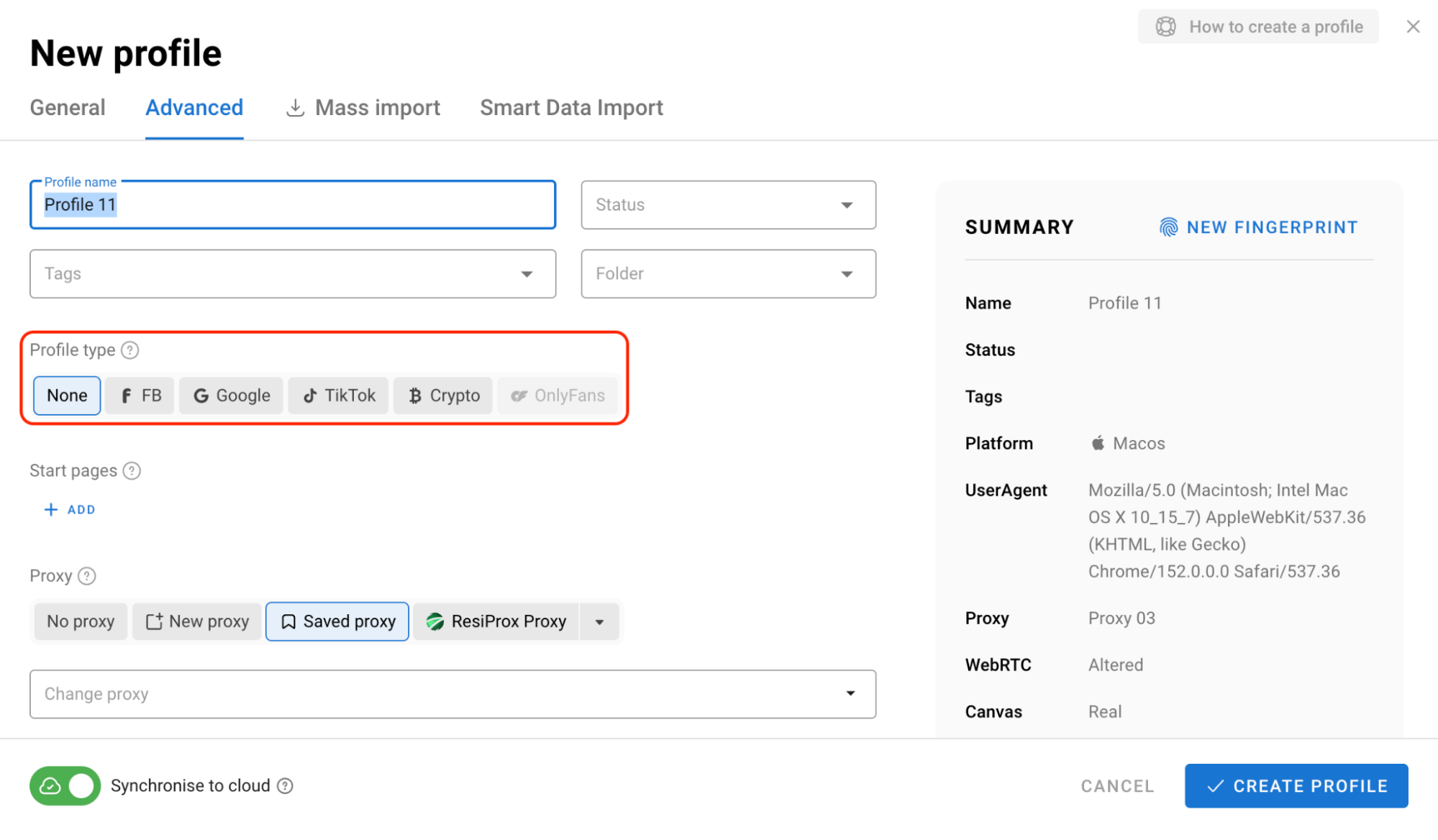
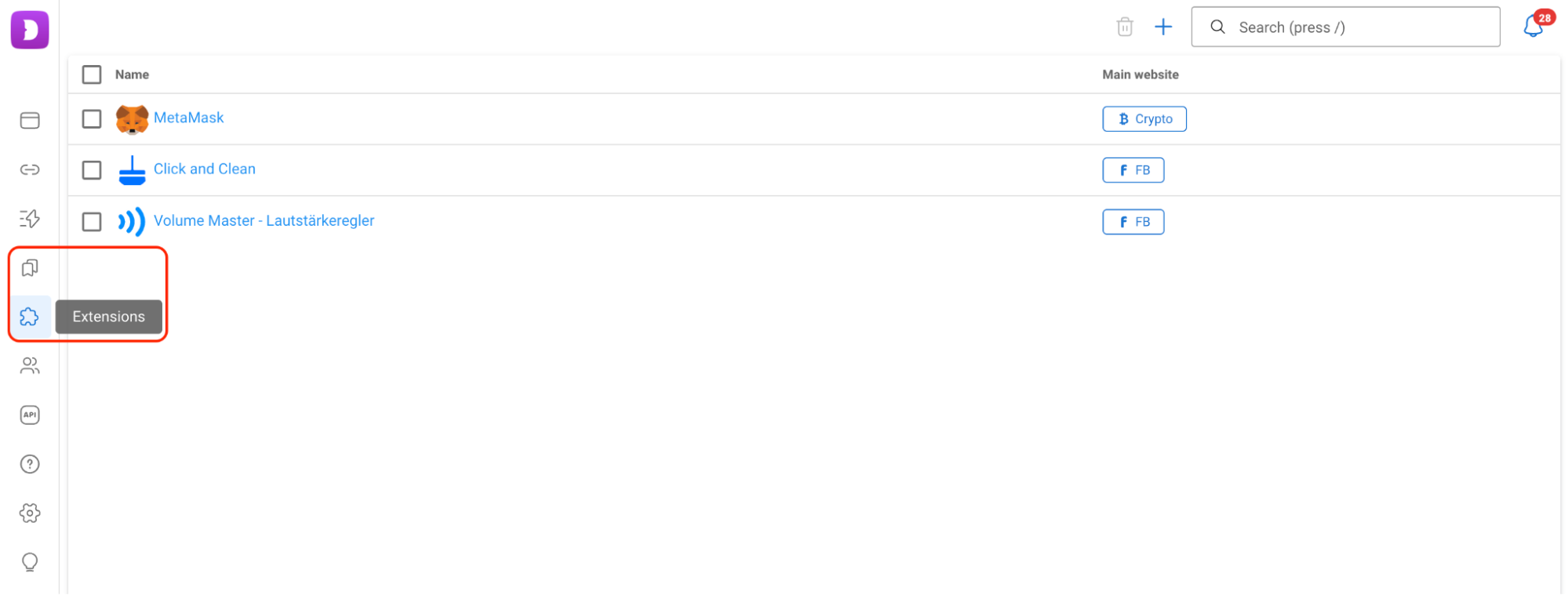
This allows each profile to have the configuration required for a specific task.
Can You Avoid Doing Everything Manually?
Some repetitive tasks can be automated in Dolphin Anty. The browser provides three main tools for this: Synchronizer, Scenarios and Cookie Robot.
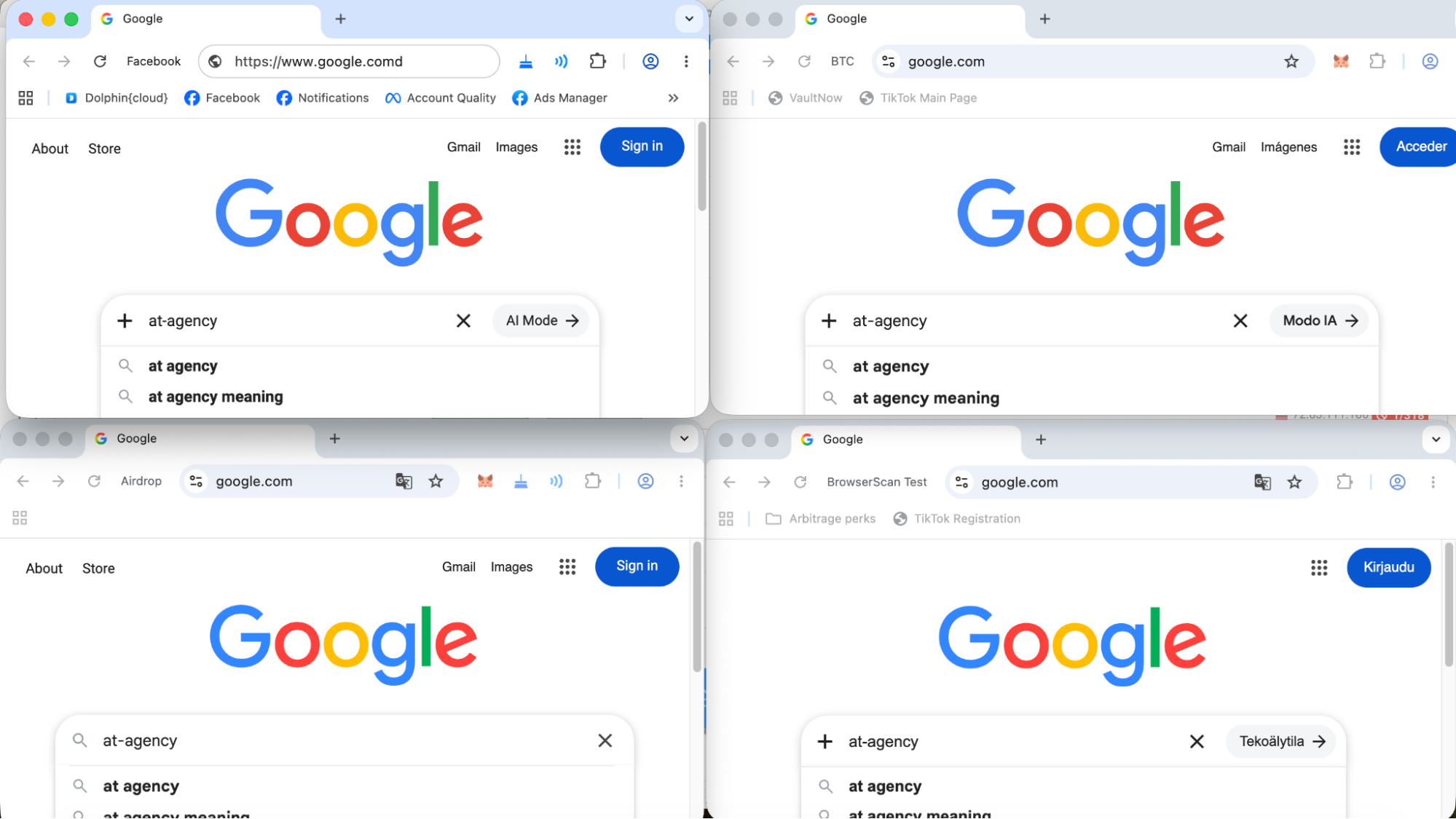
Synchronizer allows you to perform the same actions across multiple open profiles at the same time.
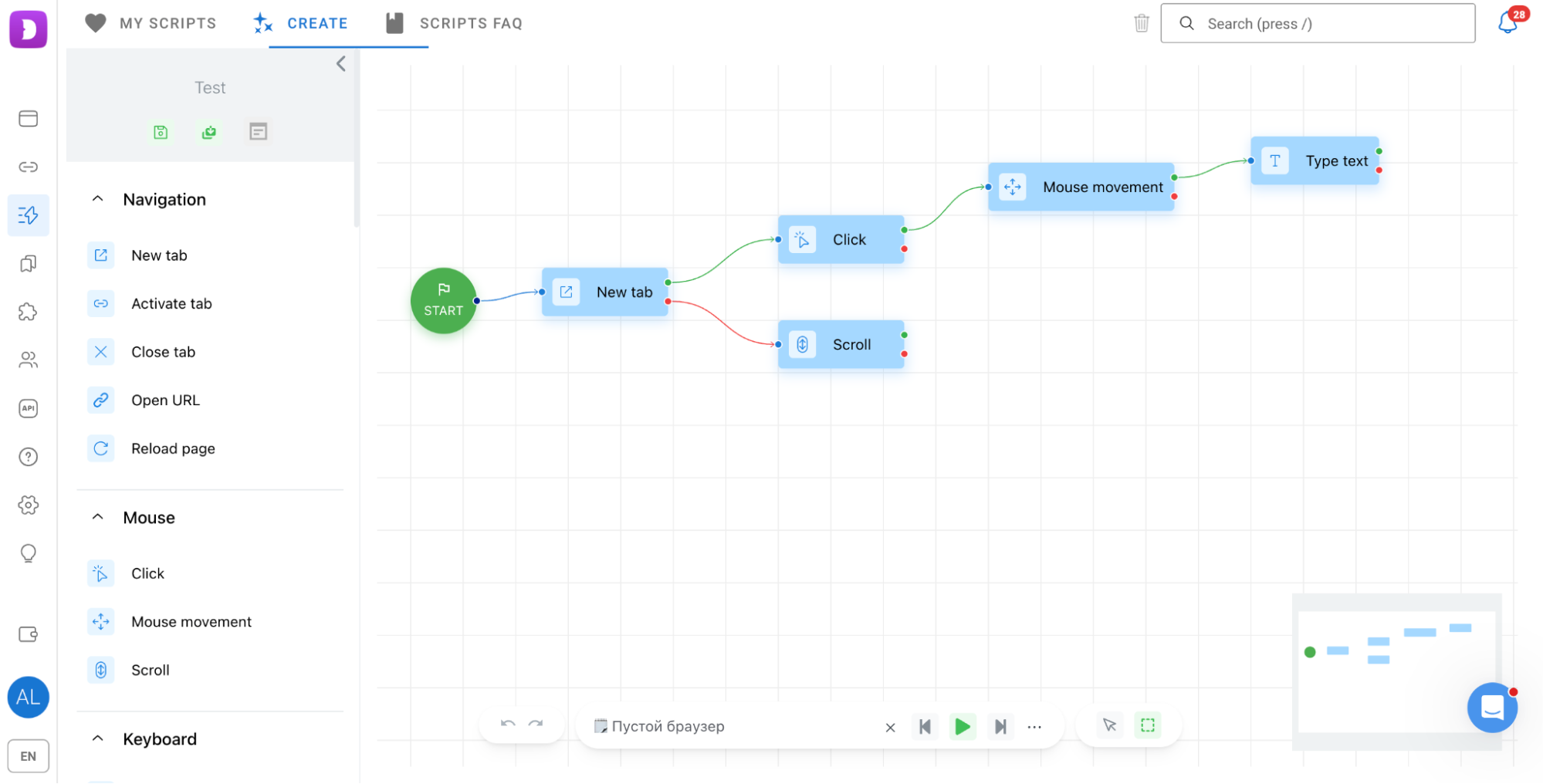
With Scenarios you can create a sequence of actions: open a specific page, perform an action, move to the next step and so on. The same scenario can be launched for one or several profiles.
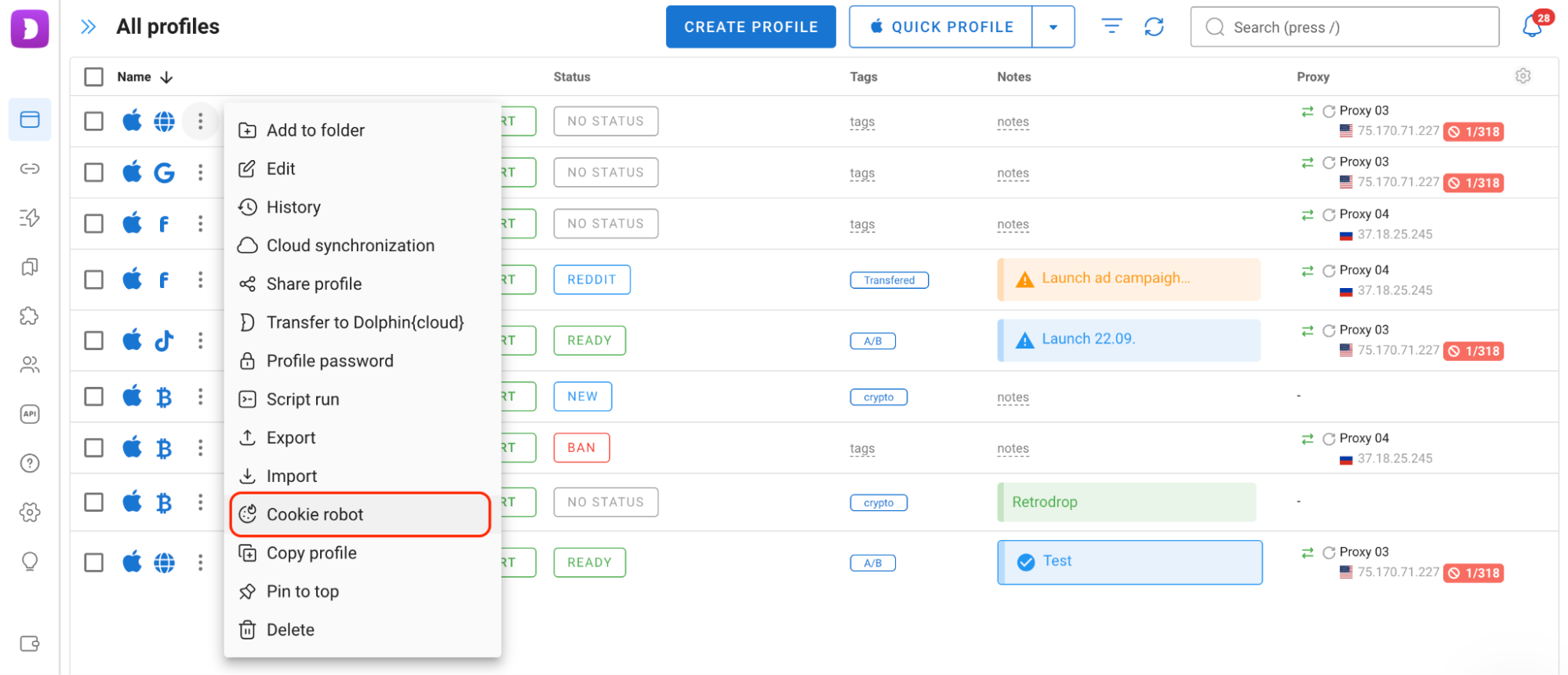
Cookie Robot collects cookies in the background. It can also skip loading images, which can help reduce proxy traffic consumption.
These tools do not turn the browser into a fully autonomous system, but they can significantly reduce the amount of repetitive work involved in managing multiple accounts.
What If You Work as Part of a Team?
Dolphin Anty is designed for teams as well as individual users. It provides role-based access with options such as administrator, team leader and user. Depending on the assigned role, you can limit access to specific features and profiles.
Profiles can also be fully transferred to other team members or shared with specific permissions while remaining owned by the original user.
Is There a Plan for Your Needs?
Dolphin Anty offers a free plan and several paid options. The main differences are the number of available profiles and the features intended for larger projects.
Plan
| Price
| Profiles
| Best for
| Free
| $0/month
| Up to 5
| Getting started with the browser and managing a small number of accounts
| Starter
| From $10/month
| 20 + additional profiles available
| Small-scale projects
| Base
| $89/month
| Up to 100
| Managing a larger profile base
| Team
| $159/month
| Up to 300
| Teams and projects with a large number of accounts
| Enterprise
| $299/month
| Up to 1,000
| Large teams and extensive profile bases
|
Conclusion
Dolphin Anty provides the tools needed to manage multiple accounts: isolated browser profiles, digital fingerprint management, proxy integration, profile organization, automation and team access controls.
For multiaccount setups, however, the antidetect browser is only one part of the equation. Reliable proxies are also important for keeping the connection details of each profile separate. Weproxy offers a range of proxy options that can be used with Dolphin Anty.