

 Tiện Ích Proxy Chrome
 Tiện Ích Proxy Firefox


Trình duyệt
Thiết Lập Proxy WeProxy Cho Opera
Opera desktop mở cài đặt proxy của hệ điều hành thay vì trình quản lý proxy thủ công riêng. VPN tích hợp của Opera không giống WeProxy — hướng dẫn này dành cho thiết lập system proxy.
On the desktop, Opera opens your computer’s system proxy settings instead of a separate manual proxy manager. Changes you make on Windows or macOS can therefore also apply to other apps that use the system setting. Opera’s built-in VPN is not the same as a custom WeProxy connection; this guide covers system proxy setup.
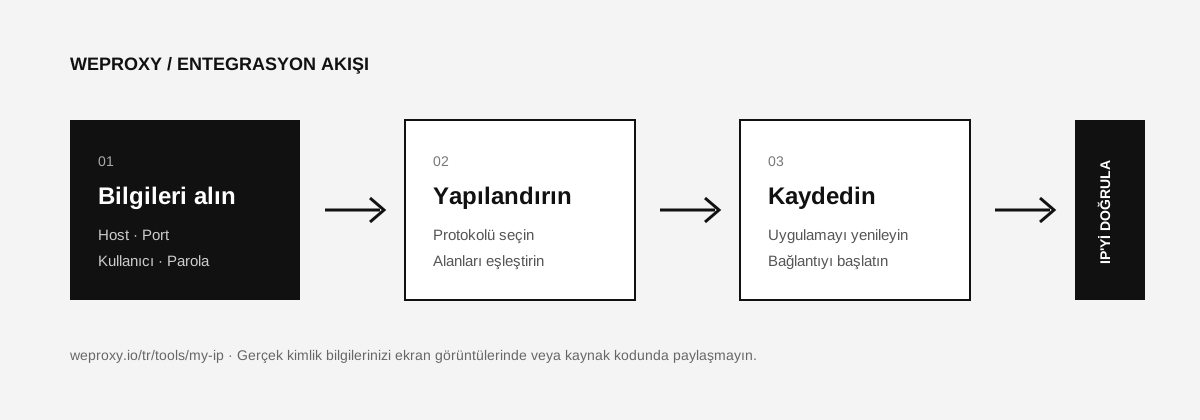
Details Needed for Setup
From the WeProxy panel, get the proxy host, port, supported protocol, and authentication details.
| WeProxy value | Field used in system settings |
|---|---|
| Host | Proxy address or server |
| Port | Port |
| Username | Authentication username |
| Password | Authentication password |
Opening System Proxy Settings from Opera
- Open Opera.
- Go to Settings. As a shortcut, you can use
Alt + Pon Windows or⌘ + ,on macOS. - In the left menu, open Advanced > Browser.
- Under System, click Open your computer’s proxy settings.
WeProxy Setup on Windows
- On the Network & internet > Proxy screen that opens, go to Manual proxy setup.
- Click Set up next to Use a proxy server.
- Enter the WeProxy host and port.
- Save the setting and restart Opera.
- If needed, enter the WeProxy username and password in the authentication screen Opera shows.
WeProxy Setup on macOS
- Select the active network connection and open Details > Proxies.
- Enable Web Proxy (HTTP), Secure Web Proxy (HTTPS), or SOCKS Proxy based on your product.
- Enter the host and port.
- If needed, turn on password authentication and add the username and password.
- Click OK and Apply.
Testing the Opera Proxy Connection
In Opera, open the My IP page. The IP and location should show the WeProxy connection you selected. If the result did not change, close all Opera windows and open it again.
Opera Proxy Issues
Results look different while Opera VPN is on
Turn off Opera’s built-in VPN. Having two different network routing methods on at the same time can lead to unexpected results.
The proxy works only on some sites
Make sure the destination supports your proxy protocol and IP version. If you use an IPv6 product, the destination site must have IPv6 access.
Apps outside Opera also connect through the proxy
This is expected; Opera uses the system proxy settings. If you need a connection for only one app, prefer a method that offers app-level proxy management.
Source
Tích hợp khác
Đang xem công cụ khác?

Bắt Đầu
Kết nối với WeProxy ngay
Tạo tài khoản, dùng ngay 100 MB traffic residential miễn phí và làm theo các bước ở trên trong thiết lập của bạn.