

 Tiện Ích Proxy Chrome
 Tiện Ích Proxy Firefox


Ngôn ngữ / SDK
Thiết Lập Proxy WeProxy Cho Node.js
Hỗ trợ proxy trong Node.js phụ thuộc phiên bản và HTTP client. Bản Node gần đây có thể đọc env proxy qua NODE_USE_ENV_PROXY; để kiểm soát tường minh hãy ưu tiên Undici ProxyAgent.
Proxy support in Node.js apps depends on the Node version and HTTP client you use. In current Node.js releases, built-in fetch can support proxies through environment variables. For more explicit, request-level control, you can use the ProxyAgent class from Undici, the Node.js project.
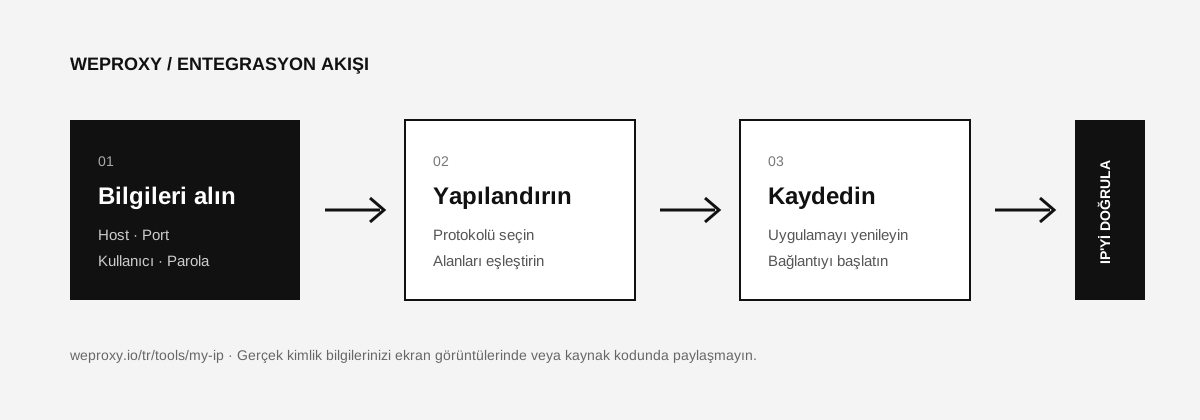
Add WeProxy Details to Environment Variables
Do not write real credentials into source code or a Git repository.
macOS/Linux:
export WEPROXY_HOST="PROXY_HOST"
export WEPROXY_PORT="PROXY_PORT"
export WEPROXY_USERNAME="PROXY_USERNAME"
export WEPROXY_PASSWORD="PROXY_PASSWORD"
PowerShell:
$env:WEPROXY_HOST="PROXY_HOST"
$env:WEPROXY_PORT="PROXY_PORT"
$env:WEPROXY_USERNAME="PROXY_USERNAME"
$env:WEPROXY_PASSWORD="PROXY_PASSWORD"
Environment Proxy Support in Current Node.js Releases
From Node.js 24.0.0 and 22.21.0 onward, NODE_USE_ENV_PROXY=1 can read HTTP_PROXY, HTTPS_PROXY, and NO_PROXY at startup. Confirm that your version supports this feature.
macOS/Linux example:
export HTTPS_PROXY="http://PROXY_USERNAME:PROXY_PASSWORD@PROXY_HOST:PROXY_PORT"
export HTTP_PROXY="$HTTPS_PROXY"
export NODE_USE_ENV_PROXY=1
node app.js
Alternatively, you can start Node with the --use-env-proxy parameter:
node --use-env-proxy app.js
Example app.js:
const response = await fetch('https://api.ipify.org?format=json');

if (!response.ok) {
  throw new Error(`HTTP ${response.status}`);
}

console.log(await response.json());
Explicit Configuration with Undici ProxyAgent
First install the current Undici package:
npm install undici
Then build the proxy URL from environment variables:
import { ProxyAgent, fetch } from 'undici';

const {
  WEPROXY_HOST,
  WEPROXY_PORT,
  WEPROXY_USERNAME,
  WEPROXY_PASSWORD,
} = process.env;

const username = encodeURIComponent(WEPROXY_USERNAME);
const password = encodeURIComponent(WEPROXY_PASSWORD);
const proxyUrl = `http://${username}:${password}@${WEPROXY_HOST}:${WEPROXY_PORT}`;
const dispatcher = new ProxyAgent(proxyUrl);

const response = await fetch('https://api.ipify.org?format=json', {
  dispatcher,
  signal: AbortSignal.timeout(30_000),
});

if (!response.ok) {
  throw new Error(`HTTP ${response.status}`);
}

console.log(await response.json());
await dispatcher.close();
Node.js Proxy Errors
Environment variables have no effect
Check your Node version with node --version. On older releases, built-in fetch may not use environment proxy settings automatically; prefer the ProxyAgent approach.
407 Proxy Authentication Required
Confirm that the credentials are current and that special characters were encoded with encodeURIComponent.
Certificate error
Do not disable TLS verification. Check the certificate chain of the proxy and destination you use. NODE_TLS_REJECT_UNAUTHORIZED=0 is not a safe production solution.
Sources
- Node.js CLI:
NODE_USE_ENV_PROXY - Undici: ProxyAgent
- Runnable example: weproxy-io/nodejs-proxy
Tích hợp khác
Đang xem công cụ khác?

Bắt Đầu
Kết nối với WeProxy ngay
Tạo tài khoản, dùng ngay 100 MB traffic residential miễn phí và làm theo các bước ở trên trong thiết lập của bạn.