

 Chrome-Proxy-Erweiterung
 Firefox-Proxy-Erweiterung


Browser
Proxy In Dolphin Anty Hinzufügen
Fügen Sie WeProxy-Host, -Port und Zugangsdaten in Dolphin Anty beim Anlegen eines Profils oder über die Proxy-Liste ein. Schnelles Einfügen, Massenimport und Verbindungstests folgen unten.
Copy the host, port, username, and password from your WeProxy panel. In Dolphin Anty you can add a proxy while creating a profile or from the dedicated proxy section.
The simplest option is to add a proxy while creating a profile. Enter the connection details in the relevant section and the proxy will be assigned to that profile.
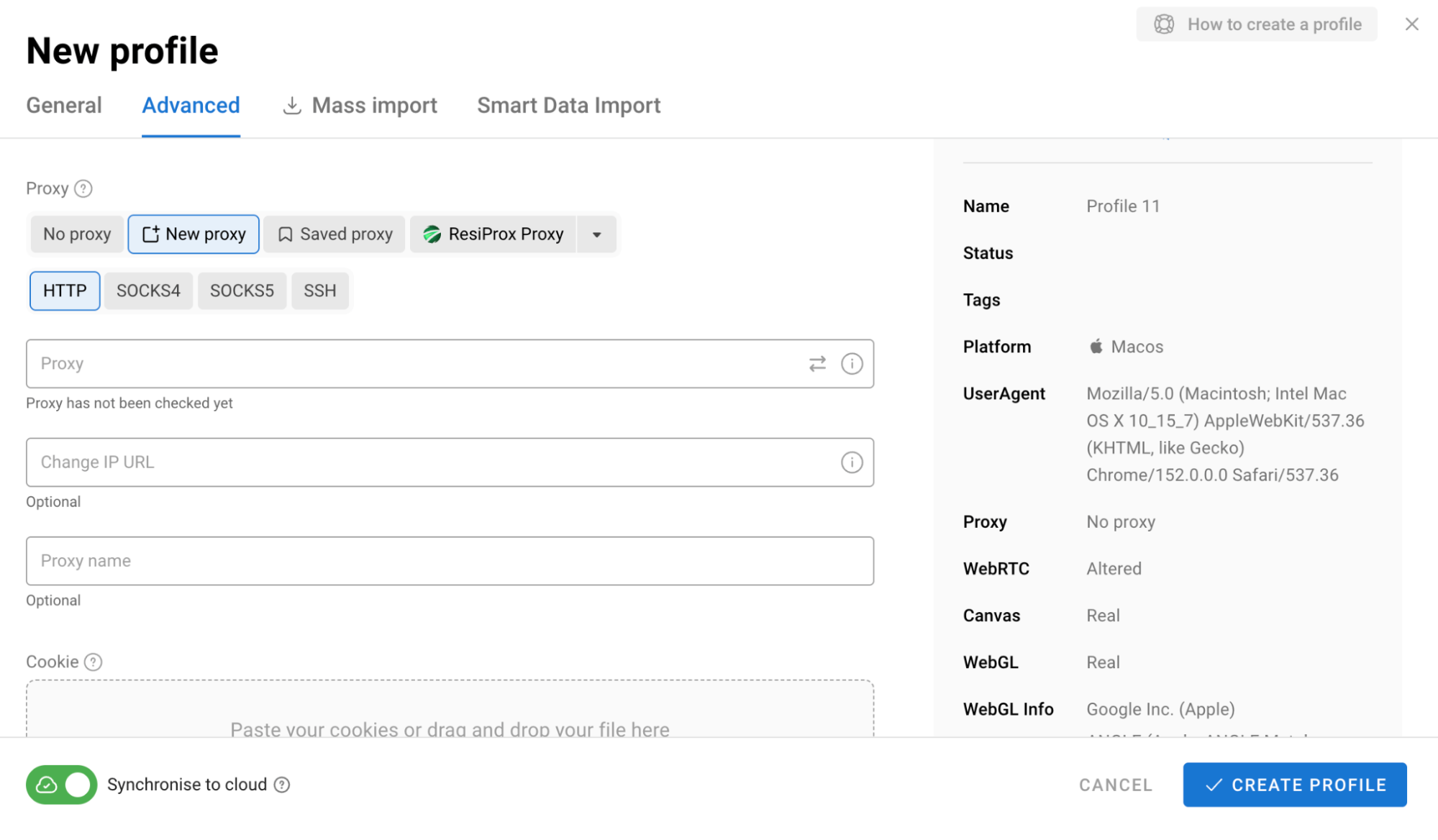
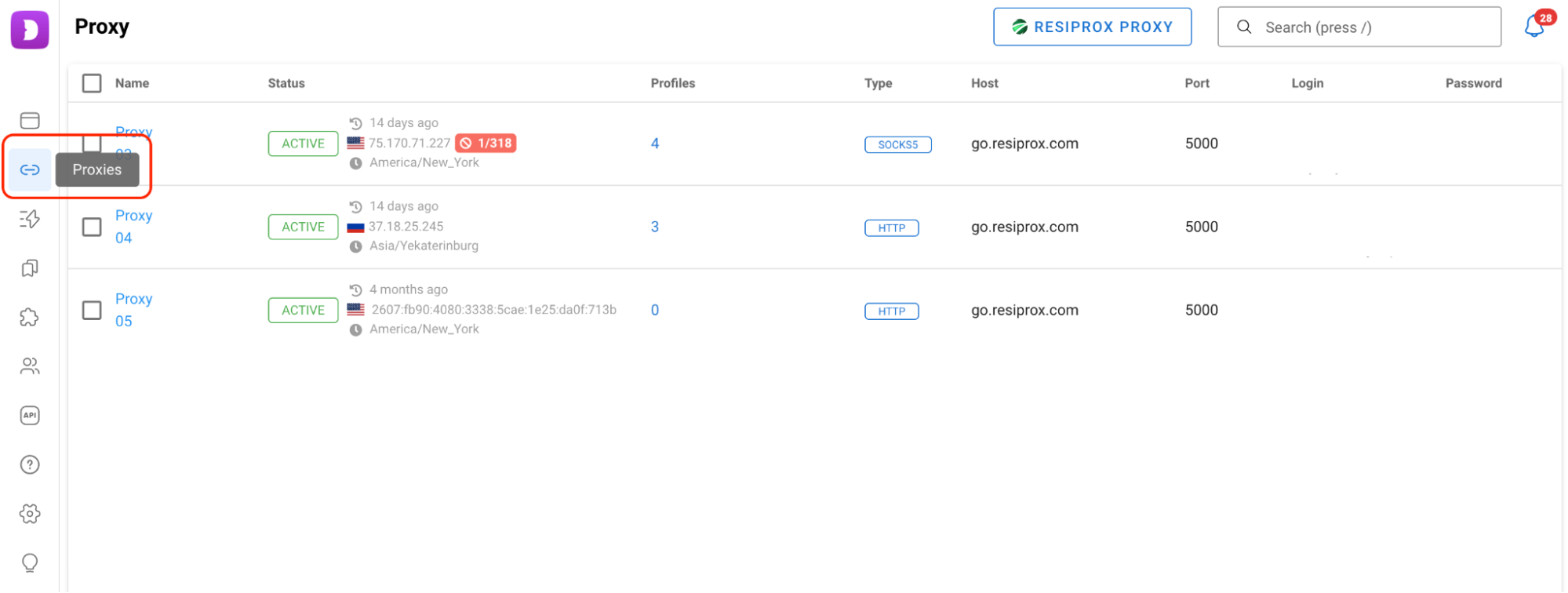
If you do not want to assign a proxy immediately, you can add your proxies to the dedicated proxy section first and connect them to profiles later.
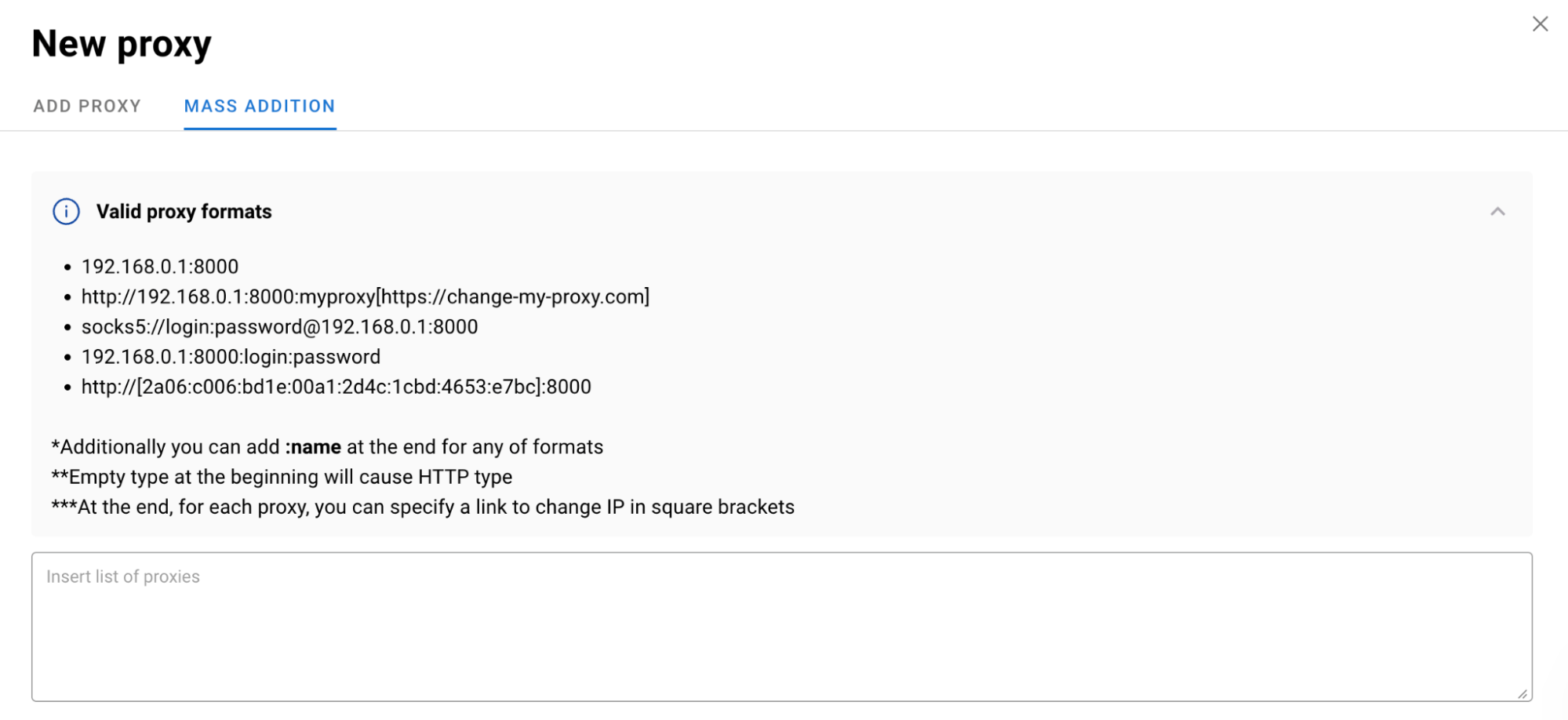
Dolphin Anty also supports quick proxy input. Paste the connection details in the format provided by your proxy provider and the browser will automatically split the host, username, password and port into the appropriate fields.
For larger proxy lists there is also a bulk import option. Instead of adding each proxy manually, you can upload the entire list and assign the connections to profiles afterward.
Before using a proxy, you can check whether the connection works and whether the IP address and location are detected correctly. Dolphin Anty can also automatically match the profile's timezone, language and geolocation to the selected proxy.
Weitere Integrationen
Ein anderes Tool im Blick?

Jetzt Starten
Jetzt mit WeProxy verbinden
Konto erstellen, 100 MB kostenlosen Residential-Traffic sofort nutzen und die Schritte oben in Ihrer eigenen Einrichtung umsetzen.